
ORDER KIOSK
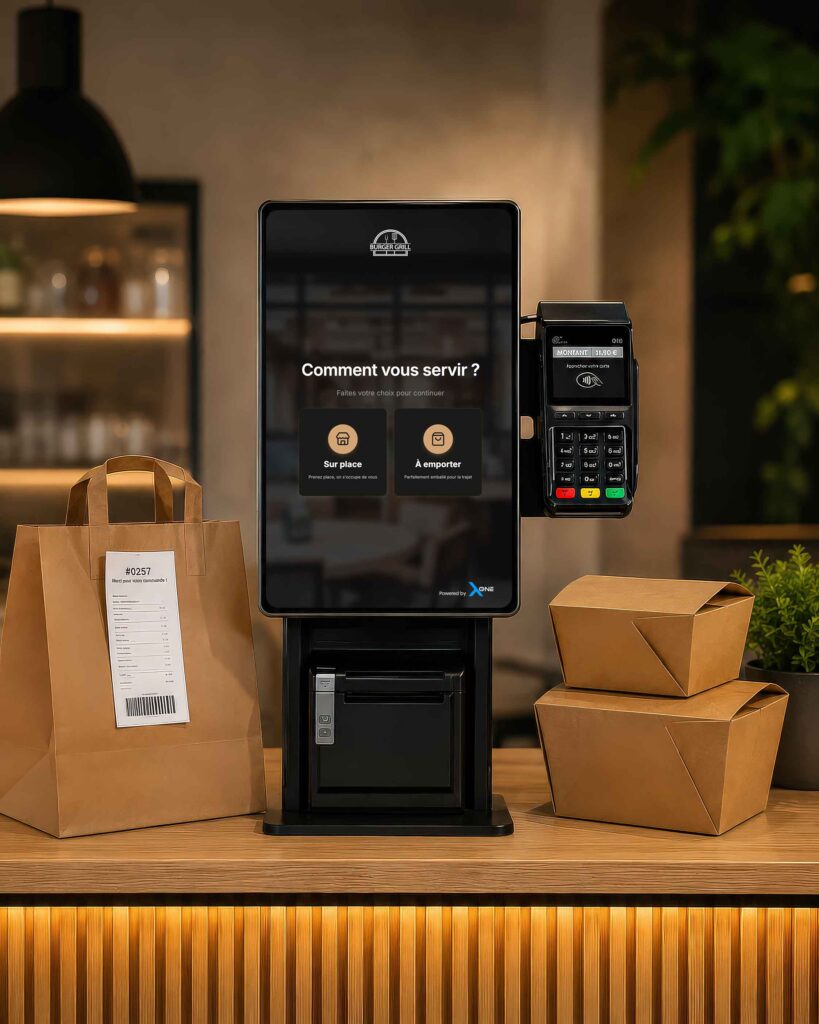
The order kiosk connected to your unTill
+30% average order value and up to -45% waiting time at the till thanks to the Xpos One order kiosk, natively connected to your unTill till system.
+30%
average order value
-45%
waiting time for your customers
HOW IT WORKS
How does the order kiosk work?
01
The customer builds their order
On the touchscreen, with photos and personalised suggestions.
02
They choose their payment method
Card, contactless, mobile or meal vouchers directly on the kiosk.
03
Order sent to the kitchen
The order goes instantly to the kitchen and the unTill till, with no re-entry.
04
The customer is notified
Via a ticket or a display screen when their order is ready.
FEATURES
Everything you need to sell more, faster
Touchscreen customisable to your venue’s colours
Automatic upsell suggestions
Integrated payment: card, contactless, meal vouchers
Real-time sync with the unTill till
Multilingual interface
Reduced queues at peak times
USE CASES
Designed for every type of venue
Fast food and quick service restaurants
Reduce queues at peak times and free up your floor staff.
Food courts and shopping centres
Several kiosks spread across different stalls, one centralised till for the whole site.
Bakeries and snack bars
Handle more quick orders without extra staff during rush hours.
ILLUSTRATIVE EXAMPLE
A busy Friday evening at a fry shop
7:30pm, the Friday rush begins. About a dozen customers are waiting at the counter while the kitchen team handles the fryers. With an Xpos One order kiosk installed at the entrance, some customers place and pay for their order in seconds, while staff stay focused on preparation rather than taking orders and giving change.
The concrete result: the visible queue at the counter shrinks, orders reach the kitchen with no transcription errors, and the team can absorb the peak without extra reinforcement.
Illustrative example based on a typical use of the order kiosk — not a customer testimonial.
FAQ
Frequently asked questions
No. The kiosk handles order-taking and payment — repetitive tasks — to free up time for your kitchen and floor team. Most venues combine a kiosk with staff: customers who prefer human contact are always welcomed as usual.
How it works and the terms are clearly explained to you before anything is set up, with no surprises later. Contact us for a detailed quote tailored to your venue and to learn about the commitment terms.
Discover our other modules too
Want to know more?
Request a demo or give us a call, we’ll explain everything.